


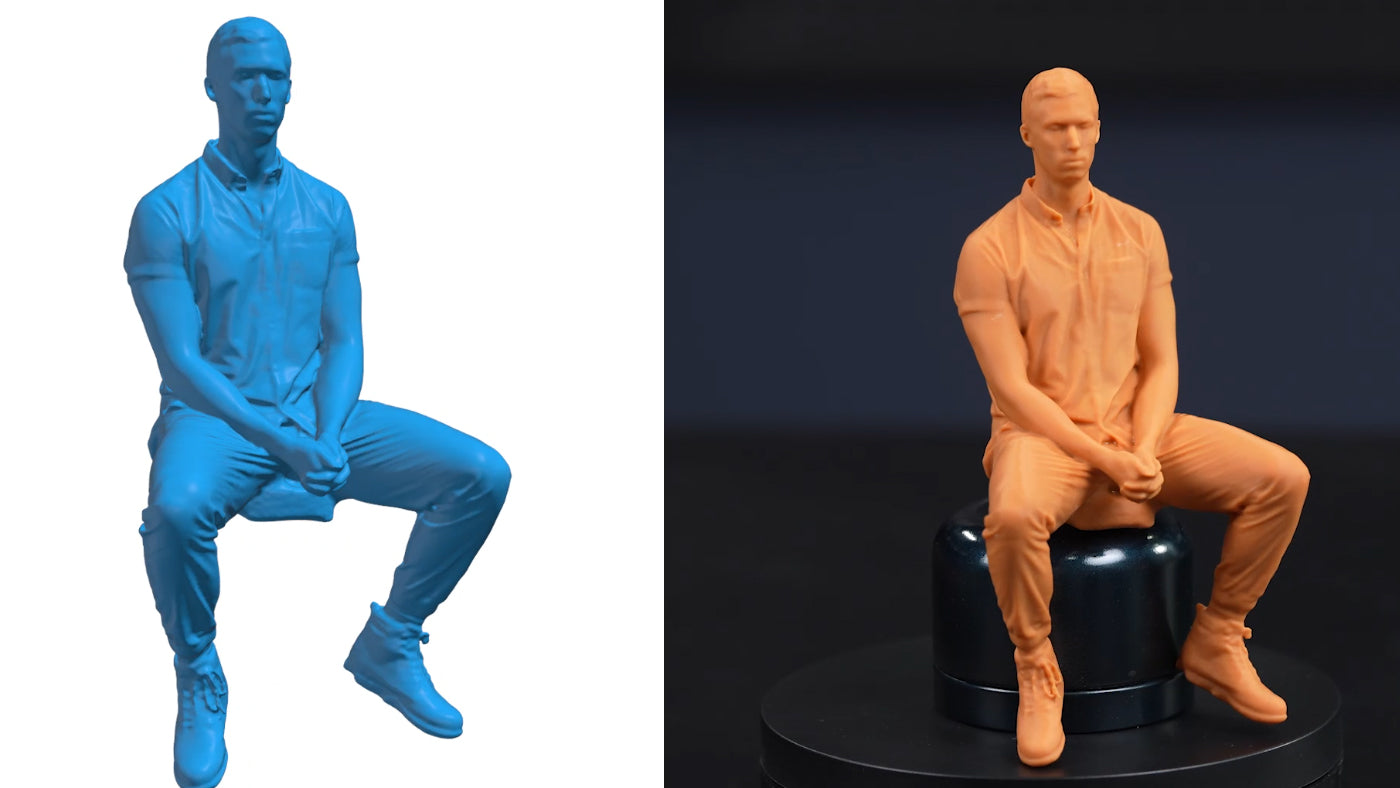
Most dimensional errors in 3D printing are already embedded long before filament is extruded or resin is cured. They begin when a physical object to 3D model conversion is handled without understanding how geometry is captured, processed, and translated into mesh data. By the time the STL file reaches slicing software, compromises in surface definition, scale, or mesh integrity are already fixed in place.
A 3D printer scanner is not just an accessory to a printer. It is the front end of a digital manufacturing workflow. When scanning is executed correctly, the transition from real world part to printable model becomes controlled, predictable, and repeatable. When it is rushed or misunderstood, every downstream step becomes correction work.
This guide breaks down the full 3D scanning process, from capture to mesh preparation to print-ready file, with a focus on practical decision making rather than theory.
What a 3D Printer Scanner Actually Does
A 3D scanner for 3D printer workflows captures the surface geometry of a real object and converts it into digital spatial data. At its core, modern 3D scanning technology records millions of XYZ coordinates that form a point cloud. Software then converts this data into a polygon mesh, typically exported as an STL or OBJ file.
Unlike traditional CAD modeling, where geometry is constructed feature by feature, scanning records existing geometry directly. This makes it ideal for:
· Reverse engineering legacy components
· Replicating discontinued parts
· Creating custom-fit accessories
· Digitizing sculptures or ergonomic forms
· Preparing complex shapes for additive manufacturing
However, raw scan data is rarely printable without refinement. Understanding how to move from captured data to clean mesh is where professional workflows differ from hobby experimentation.
Understanding the Core 3D Scanning Process
The 3D scanning process follows a structured sequence. Skipping or compressing any stage usually increases repair time later.
1. Surface Preparation
Shiny, transparent, or dark materials distort projected light or laser patterns, which can affect scan accuracy. Temporary matte spray or scanning powder is often used to ensure consistent data capture in precision workflows. However, some advanced 3D scanners are capable of directly scanning black and reflective objects without additional surface treatment.
2. Data Acquisition
The scanner captures overlapping surface data from multiple angles. Whether using structured light or laser triangulation, coverage and tracking stability determine mesh completeness.
3. Point Cloud Generation
The system converts captured frames into a unified point cloud. At this stage, resolution and accuracy begin to show their impact.
4. Mesh Construction
The point cloud is triangulated into a surface mesh. This is where holes, non-manifold edges, and noise become visible.
5. Mesh Cleanup and Optimization
Noise removal, hole filling, decimation, and smoothing transform raw data into a watertight mesh.
6. Export to Printable Format
A properly prepared STL file from 3D scan data is then imported into slicing software for toolpath generation.
Each step influences print behavior. The printer cannot recover geometry that was never captured.
Choosing Between Handheld and Desktop 3D Scanner Systems
Selecting the correct scanner depends on object size, required detail, and workflow flexibility.
A handheld 3D scanner is typically chosen for portability and versatility. It allows users to move freely around medium or large objects and adapt scanning angles in real time. This flexibility is especially useful for automotive parts, mechanical assemblies, or custom-fit components.

A desktop 3D scanner is often preferred for small objects requiring stable, controlled capture conditions. Fixed calibration and turntable systems reduce user movement variables, making them suitable for small figurines, dental models, or precision miniatures.
Modern scanning ecosystems often blend portability with precision. For example, structured light systems with adjustable modes allow users to switch between high-detail capture and faster large-area scanning without changing devices. This balance is increasingly valued in professional additive manufacturing environments.
Resolution vs Accuracy in 3D Scanning for 3D Printing
Two specifications are frequently confused: resolution and accuracy.
Accuracy defines how close the scan measurements are to real-world dimensions.
Resolution defines how densely surface detail is sampled.
For 3D scanning for 3D printing, both must be aligned with the print objective.
A highly accurate scan with low resolution may fit dimensionally but lose edge sharpness. A high-resolution scan with poor calibration may look detailed but fail to assemble.
When preparing mechanical parts, dimensional tolerance matters. When scanning organic surfaces or artistic models, surface continuity matters. Professionals treat scanning parameters as adjustable tools rather than fixed presets.
From Mesh to STL: Preparing a Printable Model
The most common format used in additive manufacturing is STL. Converting a scan into a reliable STL file from 3D scan data requires attention to three core criteria:
· The mesh must be watertight
· Normals must be consistent
· No non-manifold edges should exist
Watertight geometry ensures the model defines a closed volume. If gaps exist, slicing software cannot generate correct toolpaths. Many scanning software suites provide automated mesh repair, but manual inspection is still recommended.
Mesh density should also match the printer’s capability. Capturing micron-level surface detail is unnecessary if the printer layer height cannot reproduce it. Oversized meshes increase slicing time without improving print fidelity.
Common Issues in Scan-to-Print Workflows
Several recurring issues appear in physical object to 3D model conversions:
· Missing geometry in deep recesses
· Warped surfaces due to reflective materials
· Scale inconsistencies
· Excessively dense meshes causing slicer instability
· Thin features that print weakly or break
Experienced users mitigate these during capture rather than relying on repair tools later.
Scanning in consistent lighting, ensuring sufficient overlap, and validating scale references during capture significantly reduce correction time.
Why Modern 3D Scanning Technology Matters
Advancements in blue light structured illumination and hybrid laser systems have improved capture reliability across challenging surfaces. Real-time tracking, adaptive resolution modes, and live preview feedback now allow operators to adjust during scanning instead of troubleshooting afterward.

Professional-grade systems increasingly support multiple scanning modes within a single device. This adaptability is valuable when working across different industries such as reverse engineering, automotive modification, product design, healthcare modeling, or cultural preservation.
Manufacturers like Revopoint have focused on building scanners that combine portability with stable high precision, ensuring reliable scanning performance across different use scenarios, allowing both engineers and advanced makers to control data density according to the application rather than overscanning by default. This flexibility shortens preparation time and reduces unnecessary file complexity without sacrificing usable detail.
Matching Scan Detail to Print Purpose
Not every model requires maximum capture density.
· Functional mechanical parts need sharp edges and mating surfaces preserved.
· Artistic models require smooth surface flow and texture continuity.
· Replacement parts require dimensional reliability above cosmetic perfection.
Scanning intent should match print intent.
In professional workflows, scanning is no longer treated as a novelty step. It is integrated into digital manufacturing pipelines alongside CAD modeling, slicing, and material selection.
Practical Workflow: Scan to Print in Controlled Steps
A reliable scan-to-print workflow typically follows this sequence:
· Prepare object surface
· Calibrate scanner
· Capture complete geometry
· Validate point cloud coverage
· Generate watertight mesh
· Optimize polygon count
· Export STL
· Verify in slicer
· Print test piece
· Confirm dimensional fit
Skipping test prints is rarely efficient when fit tolerances matter.
Conclusion
A 3D printer scanner is not simply a data collection device. It is the foundation of digital replication. When the 3D scanning process is approached with controlled parameters, informed resolution choices, and proper mesh preparation, the transition from physical object to 3D model becomes reliable rather than experimental.
The success of 3D scanning for 3D printing does not depend on extreme specifications alone. It depends on how well scanning technology, mesh preparation, and print capability are aligned with the intended outcome.
Modern handheld 3D scanner and desktop 3D scanner solutions now offer enough flexibility to serve both precision engineering and creative fabrication. When used with clear intent and structured workflow discipline, scan-to-print pipelines become efficient production tools rather than troubleshooting cycles.
In digital manufacturing, accuracy begins before the printer starts.
Check out Revopoint’s line of handheld 3D scanner solutions for portable, high-precision scanning with flexible resolution control, multi-mode capture, real-time tracking stability, broad object size coverage, and seamless scan-to-STL workflow integration for professional 3D printing and reverse engineering.


Leave a comment
This site is protected by hCaptcha and the hCaptcha Privacy Policy and Terms of Service apply.