


Key Features
Interactive
Selection
Parametric
Modelling
Automatic
Surfacing
Free Form
Modelling
Real-time
Deviation Control
Hybrid
Modelling
Mesh
Realignment
User Controllable
Accuracy
2D Sketching
Primitives
Extraction
3D Sketching
Export to Other
CAD Software
Simplify Your 3D Scan-to-CAD Workflows
—— Revo Design
Revo Design offers powerful tools for reverse engineering, surface modeling, and basic design projects.
Revo Design Pro offers advanced features for professional industrial design, complex automobile modifications,
artifact preservation, and comprehensive CAD editing workflows.


Bridging 3D Scanning and Manufacturing
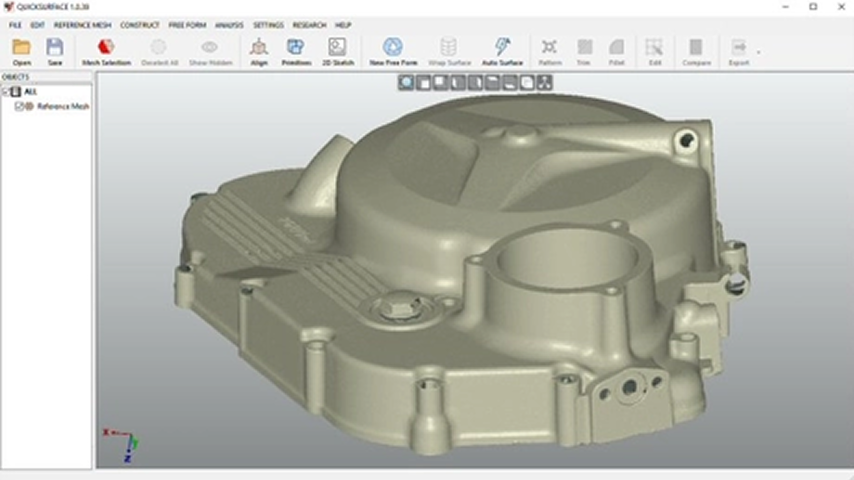
Scan Data Import
Import scan data from any scanner saved as STL, OBJ, or PLY mesh files into Revo Design. For long-range scanners, the data can be imported using the PTX file format. Revo Design allows users to load meshes of any size.
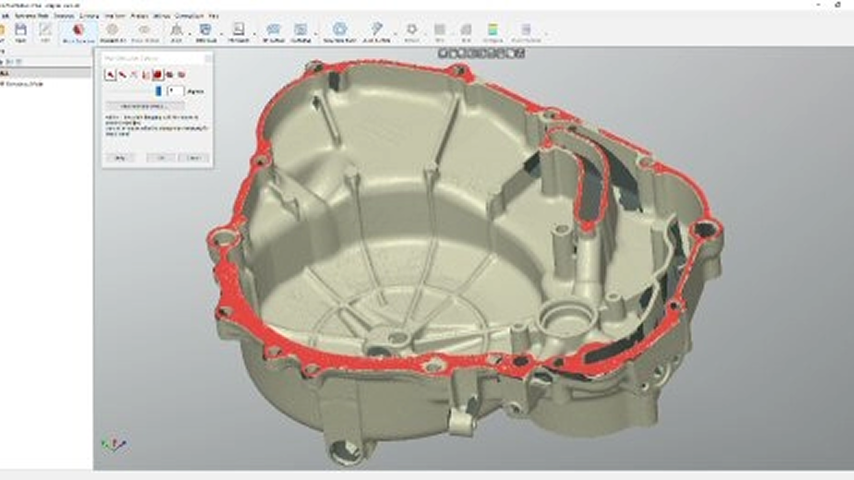
Mesh Editing
Revo Design's simple-to-use mesh editing tools allow you to easily reduce data size without losing accuracy, fill holes, and remove mesh outliers. Create watertight meshes for 3D printing or reverse engineering.
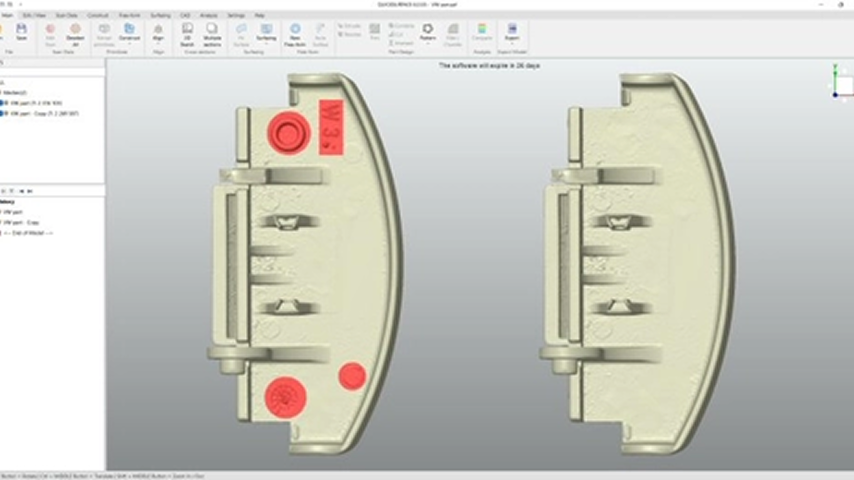
De-Feature
With Revo Design, you can remove stamps, markers, or other features. Select and ‘de-feature’ with a single button click.
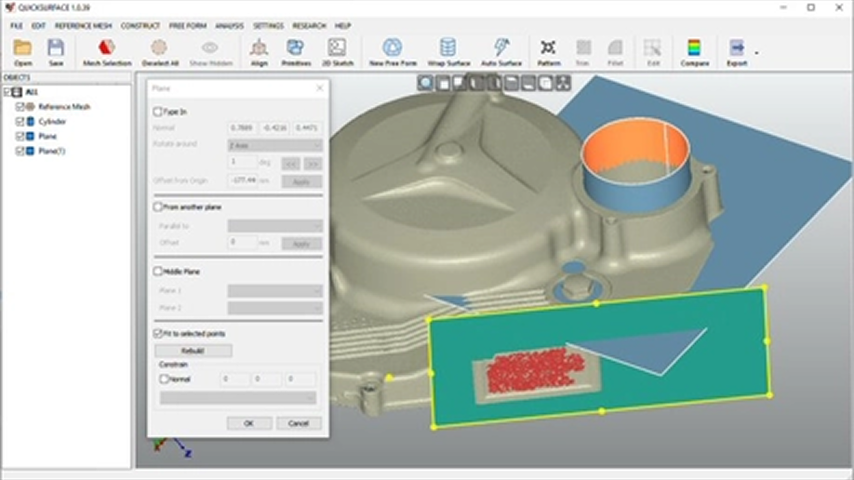
Primitives Extraction
Quickly reconstruct planes, cylinders, cones, and spheres. Additionally, create reference geometries like lines and points for use in aligning meshes to the world coordinate system or to other scans.
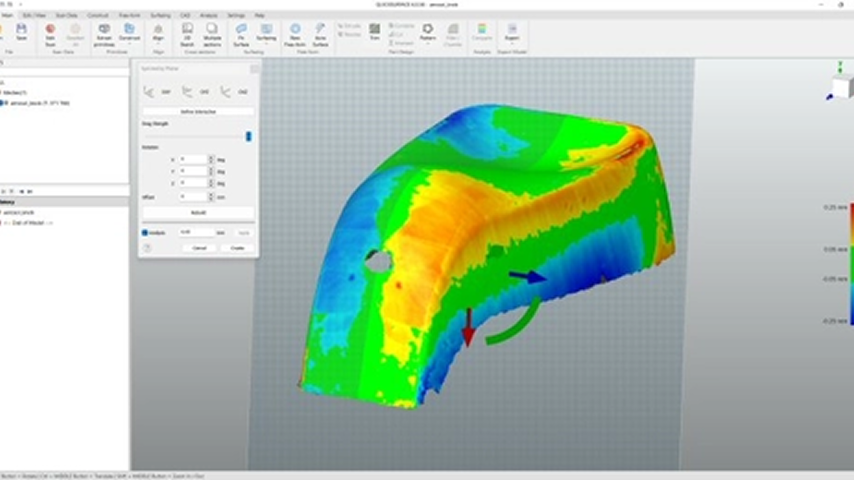
Symmetry Planes
Define the symmetry plane and use the analyzer to assess the quality of the plane's position. Fine-tune the placement with on-screen controls for optimal results.
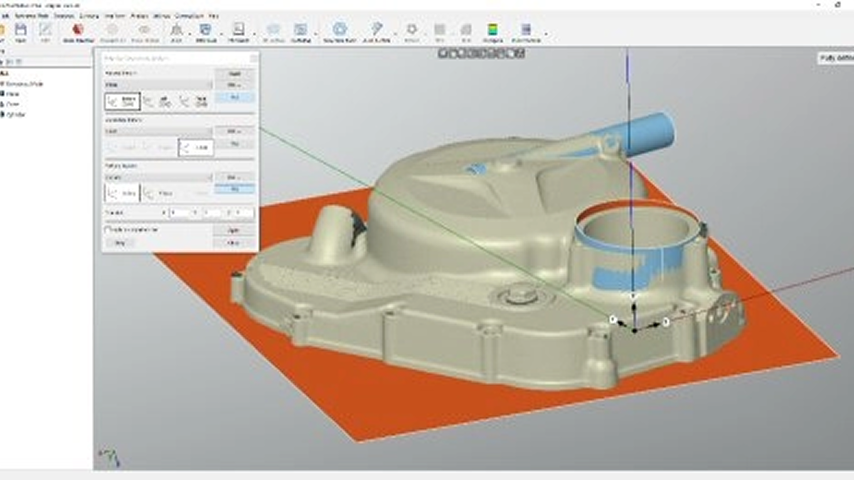
Object Alignment
Position the object within the world coordinate system using the extracted primitives. The interactive definition of the coordinate system enables you to adjust the object's correct orientation.
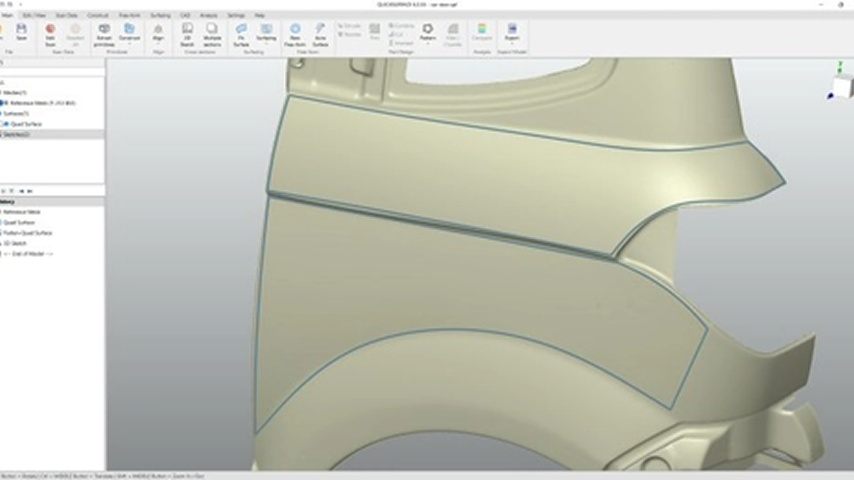
3D Sketching
Easily draw freeform curves directly on the reference mesh. Blend these curves and prepare them for advanced CAD surfacing operations, such as fill surface or creating freeform shapes from 3D sketches.
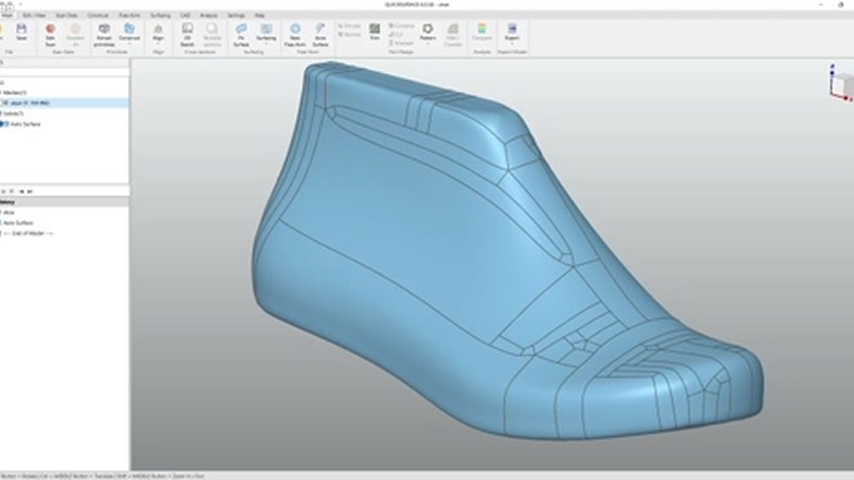
Basic Autosurface
Instantly create surfaces on complex, organic shapes with a single click. The resulting surface maintains G2 continuity throughout, with G1 continuity at extraordinary points.
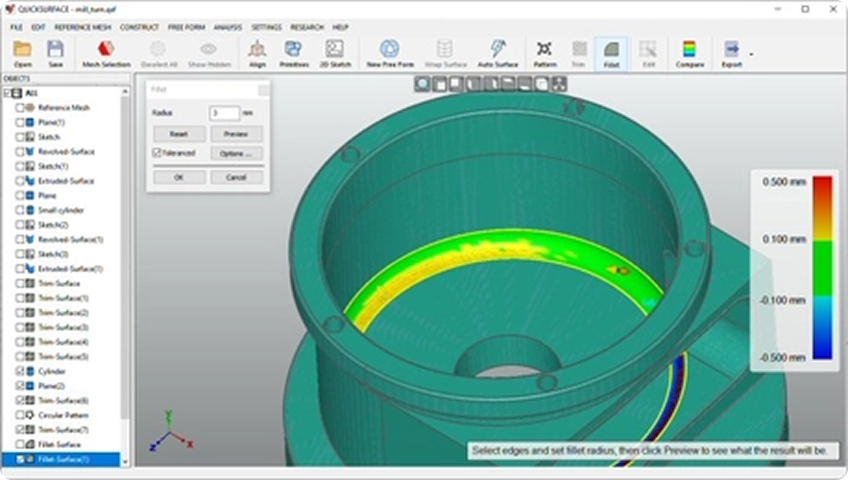
Fillet & Chamfer
The chamfer and fillet tools include a real-time analyzer. Drag the arrow to set the fillet radius on the screen and instantly see how the fillets deviate from the reference mesh, all in real-time.
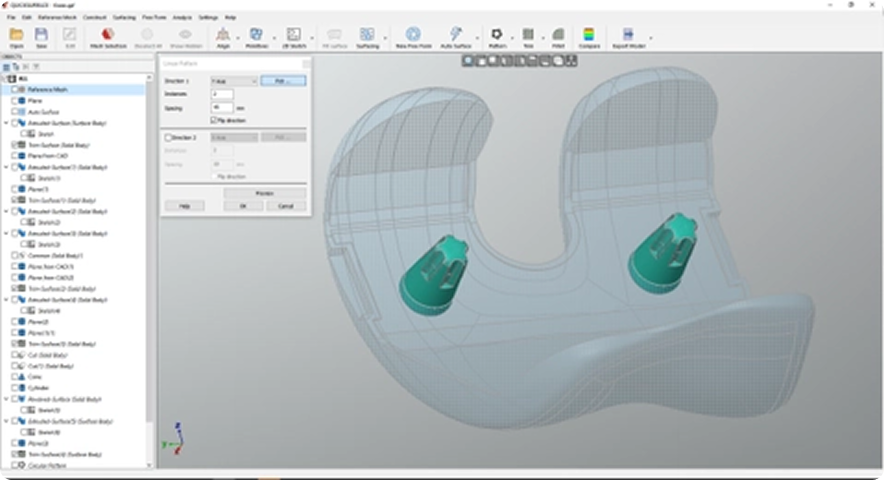
Patterns
Create repetitive object patterns by arranging them in linear or circular formations. Also, use object mirroring for extra symmetry when needed.
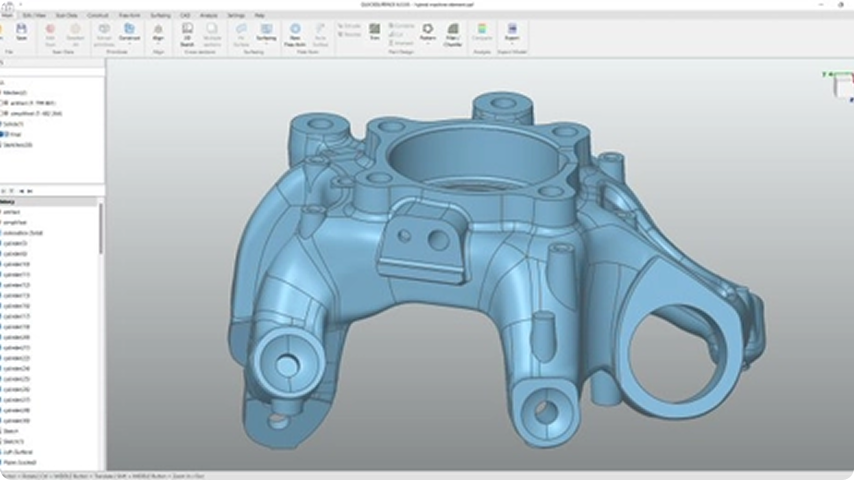
Hybrid Parametric Modelling
Revo Design goes beyond standard parametric modeling by allowing you to combine free-form and prismatic features in your CAD models. You can easily revisit, refine, and reshape free-form surfaces to achieve precise and repeatable results.
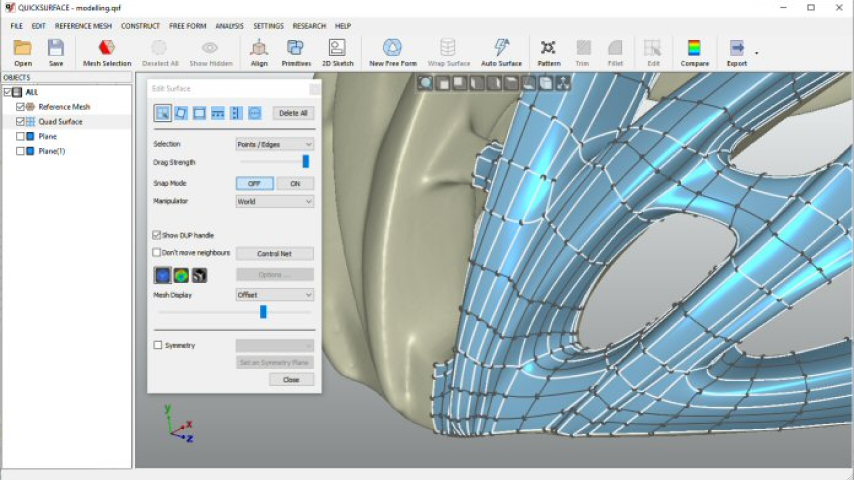
Free Form Modelling
The Quad surface feature empowers you to reconstruct free-form surfaces. Its snap-to-mesh technology enables even non-professionals to effortlessly create shapes, a unique feature not found in any other solutions.
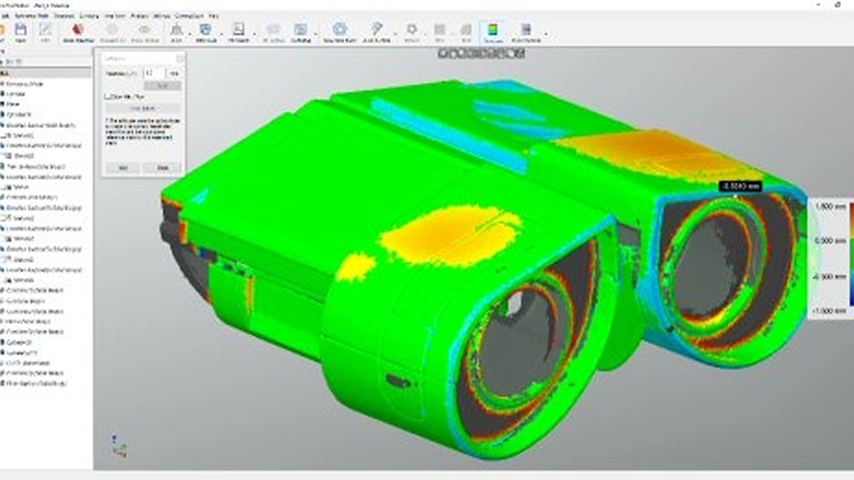
Deviation Analyzer
Confidently verify your models, reduce errors, and maintain strict adherence to specifications, boosting efficiency and product quality throughout the reverse engineering and manufacturing cycle.
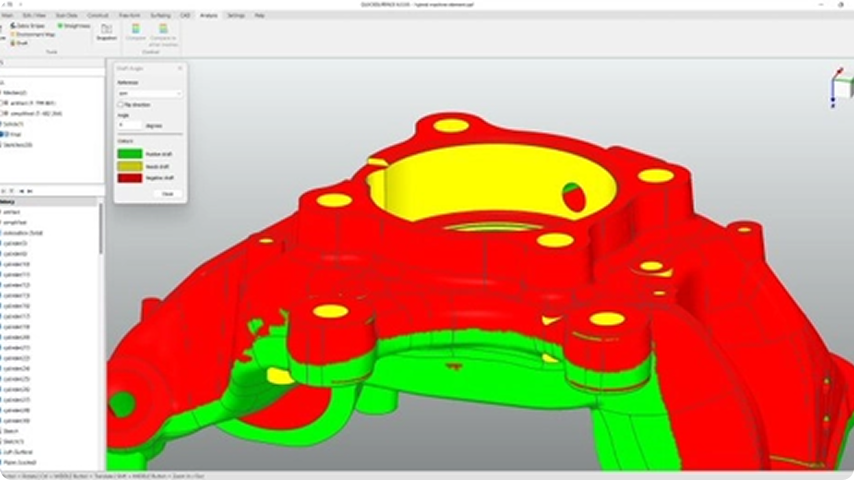
Draft Analyser
Get your design production-ready by adjusting draft angles to ensure smooth and accurate molding.
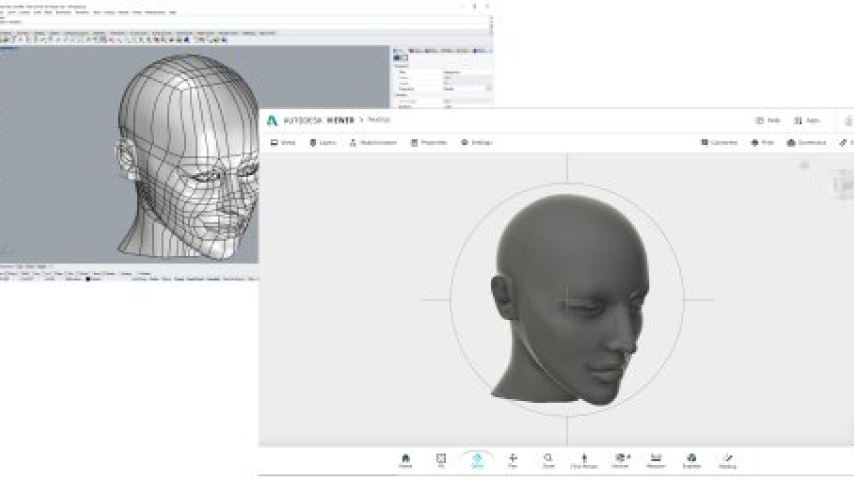
Export to Other CAD Software
Revo Design can export your high-quality models in standard IGES or STEP file formats to other CAD/CAM programs, enabling you to finish the entire CAD creation process.
Revo Design vs. Revo Design Pro
Revo Design is designed for basic reverse engineering and simple surface work, while Revo Design Pro is tailored for professional industrial design, complex modeling, and comprehensive CAD editing workflows.
| Produktvergleich | Revo Design | Revo Design Pro |
|---|---|---|
| Automatische Netz-Segmentierung | ✗ | ✓ |
| 2D- und 3D-Skizze abrollen | ✗ | ✓ |
| Oberfläche füllen | ✗ | ✓ |
| Externe CAD-Dateien importieren (IGES oder STEP) | ✗ | ✓ |
| Entwurfsanalyse | ✗ | ✓ |
| Netzdaten importieren (STL/PLY/OBJ) | ✓ | ✓ |
| Polygonreduzierung / Mesh-Glättung / Neu vernetzen / Zuschneidebox | ✓ | ✓ |
| Netz-Löcher füllen | ✓ | ✓ |
| Netz-Ausreißer entfernen | ✓ | ✓ |
| Netz-Merkmale entfernen | ✓ | ✓ |
| Grundkörper - Ebene/Zylinder/Kegel/Kugel/ Symmetrieebene | ✓ | ✓ |
| Am Weltkoordinatensystem ausrichten / interaktiv | ✓ | ✓ |
| Nach N Punkten ausrichten / Globale Feinausrichtung mehrerer Netze | ✓ | ✓ |
| Oberfläche anpassen | ✓ | ✓ |
| Querschnitt / Mehrere Querschnitte / 2D-Skizzieren / 2D-Elemente anpassen | ✓ | ✓ |
| Extrudieren / Rotationsflächen | ✓ | ✓ |
| Oberflächen trimmen | ✓ | ✓ |
| 3D-Skizzieren | ✓ | ✓ |
| Echtzeit-Abweichung der 3D-Kurve zum Referenznetz | ✓ | ✓ |
| Manuelle Freiformmodellierung | ✓ | ✓ |
| Grundlegende automatische Freiform | ✓ | ✓ |
| Scan-zu-CAD-Vergleich | ✓ | ✓ |
| Als IGES / STEP exportieren | ✓ | ✓ |
| Scandaten als STL-Netz exportieren | ✓ | ✓ |
| Scan vorbereiten | ✗ | ✓ |
| 2D-Skizzen-Assistent | ✗ | ✓ |
| Netz abwickeln | ✗ | ✓ |
| Klasse-A-Oberflächenanpassung | ✗ | ✓ |
| Netze mit Grundkörpern trimmen | ✗ | ✓ |
| Ebene entlang Pfad | ✗ | ✓ |
| (2D-Querschnitte) Netz-Kontur | ✗ | ✓ |
| (2D-Querschnitte) Gestapelte Querschnitte | ✗ | ✓ |
| (2D-Skizze) Automatisches Verbinden von 2D-Elementen | ✗ | ✓ |
| (2D-Skizze) Muster | ✗ | ✓ |
| Loft / Sweep / Rohr-Oberflächen | ✗ | ✓ |
| Hülle | ✗ | ✓ |
| Verdicken / Versatz | ✗ | ✓ |
| Fläche verschieben / Fläche entwerfen | ✗ | ✓ |
| Volumenkörper teilen | ✗ | ✓ |
| Ebene Fläche aus 2D-Skizze | ✗ | ✓ |
| Boolesche Operationen - Schneiden / Kombinieren / Schnittmenge | ✗ | ✓ |
| Lineare und kreisförmige Muster | ✗ | ✓ |
| Körper spiegeln | ✗ | ✓ |
| Verrundung / Fase | ✗ | ✓ |
| Variable Verrundungen | ✗ | ✓ |
| Helix | ✗ | ✓ |
| Abflachen | ✗ | ✓ |
| Freiform aus 3D-Skizze | ✗ | ✓ |
| Freiform verdicken | ✗ | ✓ |
| Merkmalsausgerichtete automatische Freiform | ✗ | ✓ |
| Geradheitsanalyse | ✗ | ✓ |
Your Scan-to-CAD Assistant

Multi-language Support
Supports multiple languages, including English, German, Japanese, Simplified Chinese, Traditional Chinese, Polish, French, Italian, Russian, and Czech.


Professional Applications
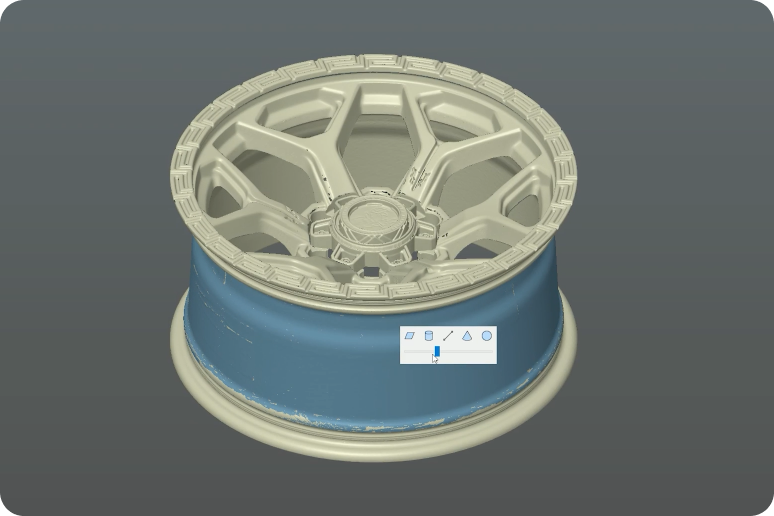
Automotive and Aerospace
Quickly convert 3D scan data of legacy parts, prototypes, or damaged components into high-quality CAD surfaces. With just one click, QUICKSURFACE generates G2-continuous surfaces, ensuring smooth, aerodynamic shapes that are crucial for both performance and aesthetics.
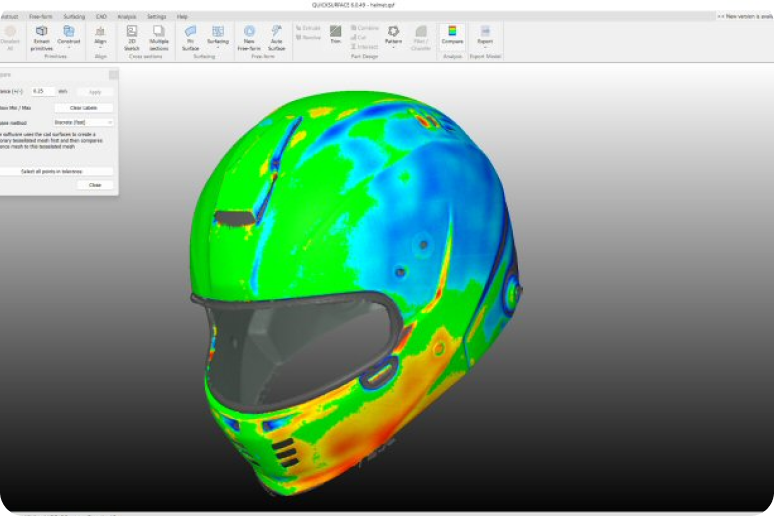
Product Design
Speeds up the design-to-CAD process, allowing quick iteration, ergonomic improvements, and model preparation for manufacturing or 3D printing by transforming 3D scan data of prototypes or handmade models into smooth, editable CAD surfaces. With one click, designers can create G2-continuous surfaces, preserving the organic feel of sculpted forms for precise digital refinement.
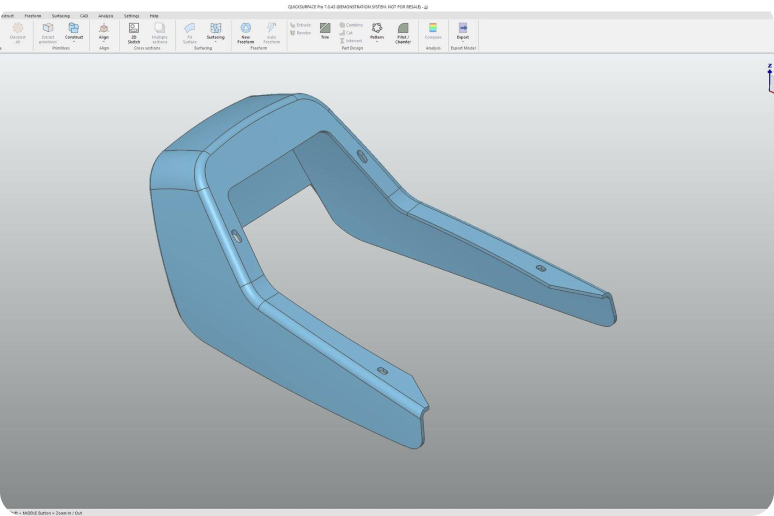
Reverse Engineering
With powerful tools for mesh healing, surface fitting, and parametric modeling, Revo Design makes it simple to turn complex scan data into CAD-ready geometry. Whether you're re-creating legacy parts, modifying existing components, or developing new products from physical prototypes, Revo Design offers a streamlined workflow from mesh to model.
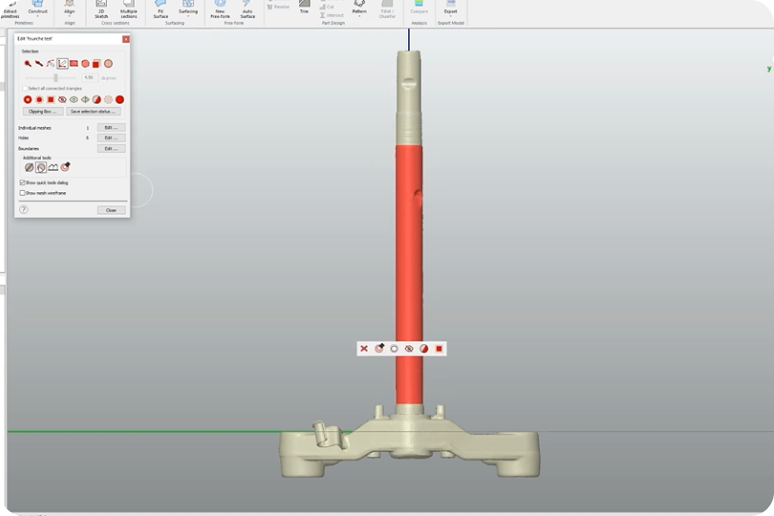
Industrial Manufacturing
With powerful surface fitting and mesh healing tools, Revo Design handles intricate geometries and ensures models meet strict manufacturing tolerances. Export your models to major CAD platforms, such as SOLIDWORKS and Inventor, for a seamless transition from design to CAM programming and machining.
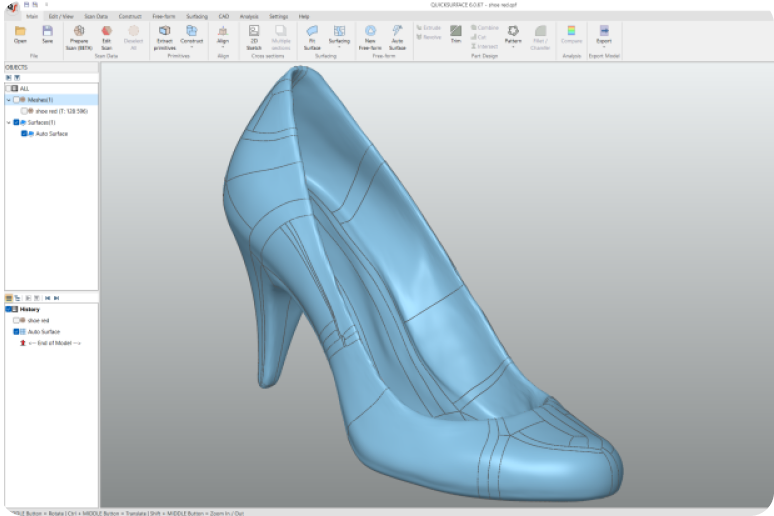
Art and Design
Whether you’re restoring heritage art, preparing digital replicas, or creating intricate custom designs, Revo Design's intuitive surface fitting and parametric modeling tools enable precise control over complex organic shapes.
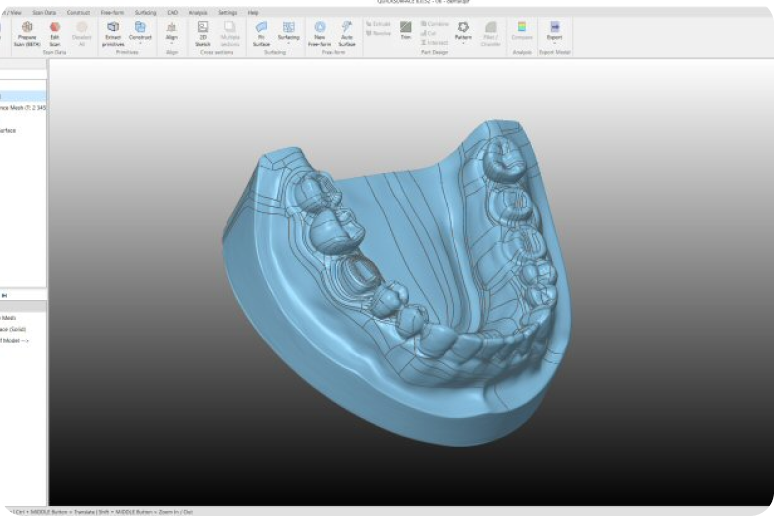
Medical & Dental
Streamline 3D modeling for the medical and dental industries, transforming scan data into precise, editable CAD models with ease. Ideal for designing implants, prosthetics, surgical guides, and dental restorations, it ensures accuracy, speed, and flexibility in clinical and lab workflows.
Tutorial Videos
Easily learn how to use Revo Design's powerful features in detailed video tutorials.
Get Started
Import Meshes
Extrude Features
Inspecting CAD Models
Revo Design Workshops
Hybrid Modelling
Reverse Engineering a FREE FORM
Parametric & Freeform Surfacing
Advanced Surfacing & Fillet Control
FAQ
1. What's the difference between QuickSurface and Revo Design?
Revo Design is powered by QUICKSURFACE and offers a more seamless workflow for Revo Scan users.
2. What are the key differences between Revo Design and Revo Design Pro?
Revo Design Pro builds upon the standard version with powerful professional-grade features.
Revo Design – Best for:
Basic reverse engineering
Simple surface reconstruction
Moderate modeling needs
Revo Design Pro – Best for:
Professional industrial design
Complex product modeling
Complete CAD editing workflows
Advanced surface manipulation
3. What are Revo Design's PC requirements?
Minimum Requirements: Laptop or PC with Windows 10 (64 Bit version)
CPU: Intel i5 or higher (or equivalent)
RAM: 16 GB
HDD: 256 GB
Graphics Card: Dedicated graphics card 一 nVidia or AMD
Once activated, we recommend an internet connection to allow automatic software updates. (Not mandatory, it's your choice)
4. What are the requirements for applying for a Revo Design 30-day free trial code?
There are no requirements. Anyone can try the Revo Design for free using the 30-day trial.
5. Do users need to download Revo Design software to use it?
Yes, users must download it from the "Download page".
6. How is the product delivered?
The software will be delivered electronically. No physical product will be shipped. A license key will be emailed to you for activation.
7. How long will it take to receive the product after placing an order?
We will email the license key to you within three business days after you place the order.
8. Can I request a refund after placing an order with the software?
No refunds/exchanges are allowed after the software has been ordered.
9. Can I log into Revo Design across multiple devices simultaneously after purchasing the software?
No. Your account can only be logged into by one device at a time.